
Post into a channel from another tool
An incoming webhook is a secret URL that posts into one channel. Use it when a tool can “send to a webhook” or “post to Slack”: monitoring alerts, deploy notices, form submissions, low-stock warnings. It accepts the same messages as Slack’s incoming webhooks and Microsoft Teams’ webhooks, so a tool already set up for either only needs the new URL. You need to be a Freesbe owner or admin to make one.
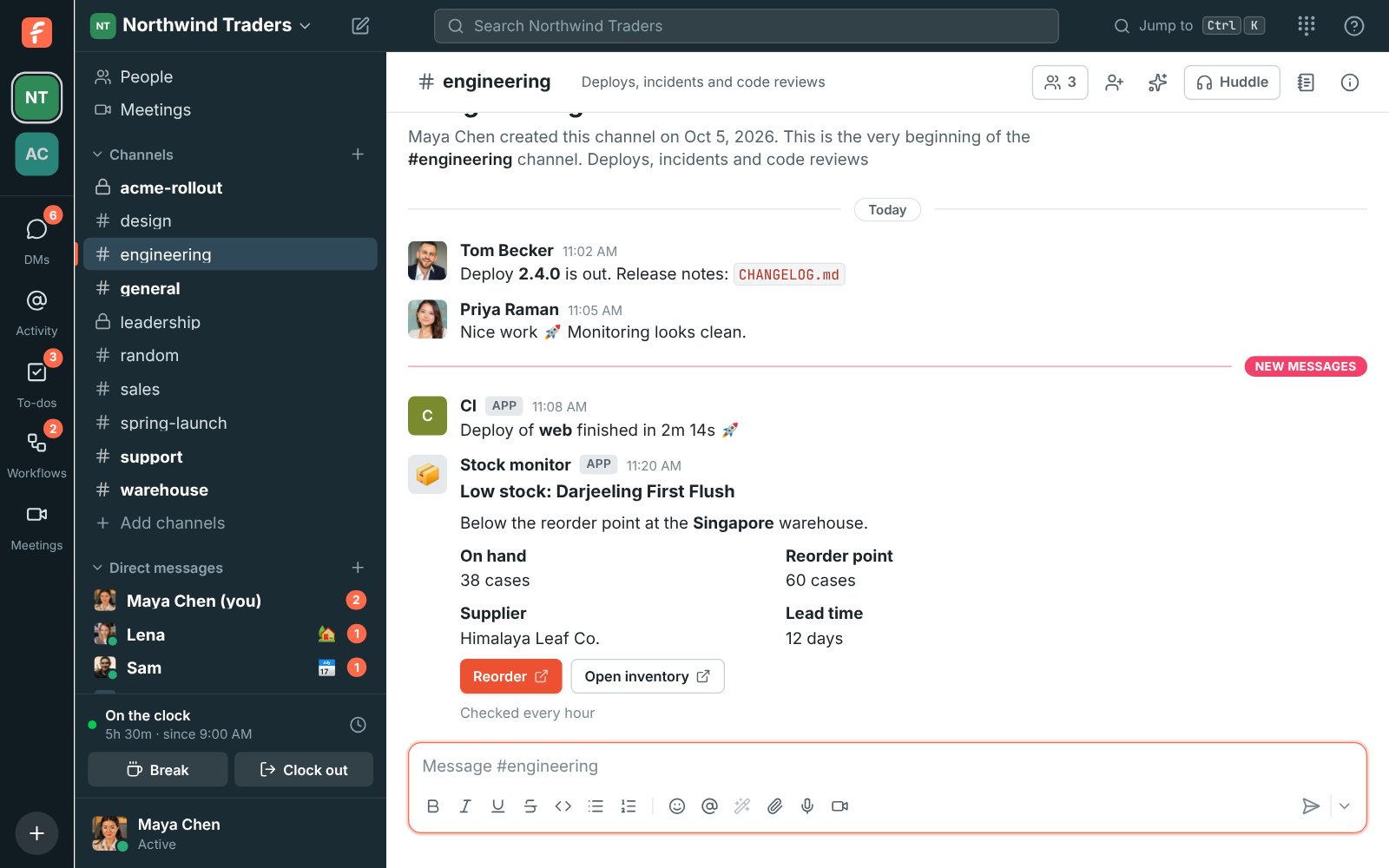
1. Make the webhook
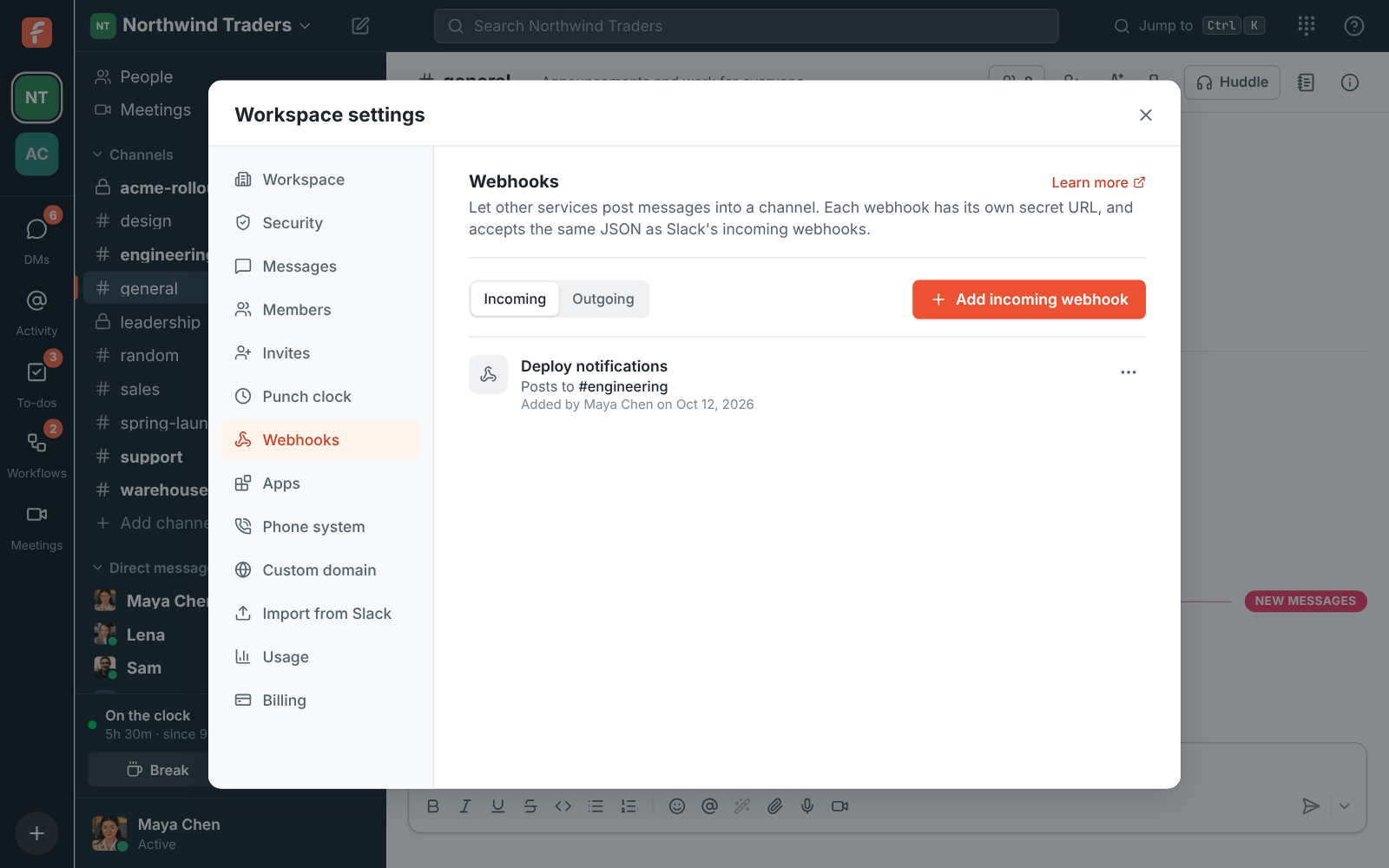
Section titled “1. Make the webhook”- Open Workspace settings → Integrations & apps → Webhooks → Incoming and click Add incoming webhook.
- Give it a name people will recognize, such as “Deploy notifications”. Messages show under it.
- Pick the channel it posts to.
- Copy the Webhook URL. It looks like
https://api.freesbe.net/hooks/custom/…/…and is only shown once.
Treat the URL like a password: anyone who has it can post into the channel.
2. Paste it into your tool
Section titled “2. Paste it into your tool”- A tool with a Slack option: choose Slack (or “Slack-compatible webhook”) and paste the Freesbe URL where it asks for the Slack webhook URL.
- A tool with a Microsoft Teams option: choose Teams and paste the Freesbe URL. Adaptive Cards and the older message cards both show.
- A generic webhook: have it send a
POSTwith a JSON body containingtext.
3. Try it
Section titled “3. Try it”From a terminal:
curl -X POST -H 'Content-Type: application/json' \ -d '{"text": "Deploy finished :rocket:", "username": "CI"}' \ https://api.freesbe.net/hooks/custom/<id>/<token>Freesbe answers ok, and the message appears in the channel. Add Slack Block Kit blocks for a
card with headers, facts, pictures and link buttons.
If something’s wrong
Section titled “If something’s wrong”- The tool gets
404 no_service. The URL was copied wrong, the webhook is turned off, or someone made a new URL. Check the webhook isn’t Off (⋯ → Turn on), or choose ⋯ → Make a new URL and paste the new one into the tool. - The tool gets
410 channel_is_archived. The channel was archived. Unarchive it, or choose ⋯ → Edit and pick another channel. - The tool gets
400 no_text. The message had nothing to show. Sendtext,blocksorattachments. - The URL leaked. Choose ⋯ → Make a new URL. The old one stops working right away.
- Buttons are missing from a card. Only buttons that open a link show. Buttons and menus that call back a Slack app are left out.
- An old URL like
https://api.freesbe.net/hooks/<token>. It still works; there’s no need to change it.
For a bot that posts in many channels, reads and reacts, build an app instead. See API and webhooks for every field.
Answers come from the Freesbe guides and are written by AI, so check the linked guide before relying on one. Please don't include personal details such as emails or passwords.